
The 5-day brand launch QA process: catch broken links, mixed messages, and missing assets
Use this five-day brand launch checklist to test every link, message, asset, and handoff before your digital product meets real customers.
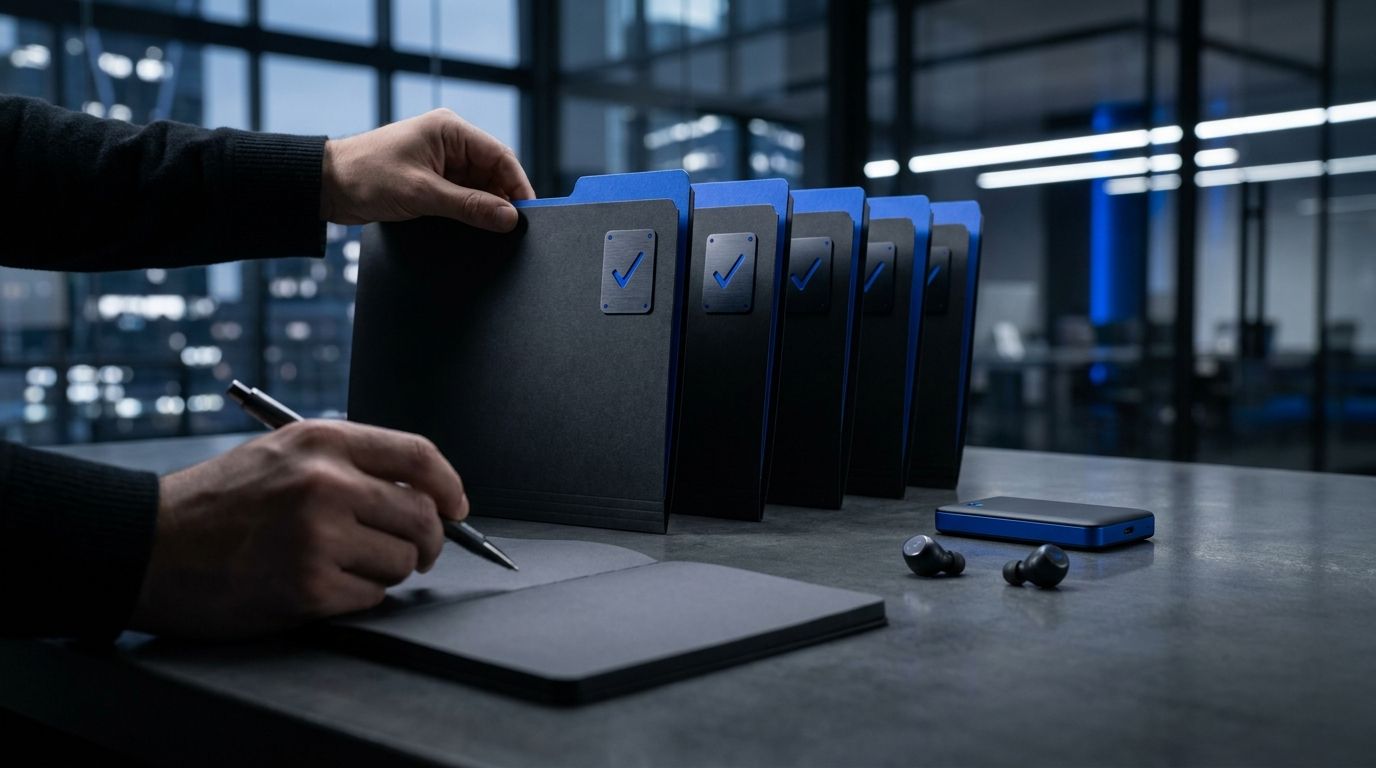
At 9:17 p.m., Priya is in her kitchen testing the checkout link from her phone while a cooling cup of coffee sits beside the laptop. The page loads. The payment button does not. This is why a brand launch needs a real quality assurance process, not one frantic proofread an hour before publishing.
A five-day review catches the failures that make a new brand look careless: broken links, mixed promises, missing images, wrong prices, stale bios, and calls to action that lead nowhere. You do not need a large team. You need separate passes, clear ownership, and enough time to test the launch as a customer would.
Once you run enough launches, you notice a pattern. The work rarely breaks in the big idea. It breaks between the landing page and checkout, between the social post and the offer, or between the asset folder and the person publishing it. This process checks those seams before customers find them for you.

Why launch QA is a separate job
Most founders treat quality assurance as the final reading of a landing page. That is too narrow. Launch QA checks whether the whole customer path works, from the first impression through payment, delivery, and follow-up.
The conventional advice is "just do a final sweep." That sounds efficient, but it creates one overloaded review where copy, design, links, tracking, and operations compete for attention. A founder sees the typo and misses the checkout failure. Or they fix the headline and forget the welcome email still names an old offer.
A better system treats the launch like a small production line. Each day has one inspection job. You are not trying to make every asset perfect at once. You are trying to stop one failure from hiding inside another.
A useful launch QA pass checks five customer questions:
- Can the right person understand the offer in five seconds?
- Can they reach the next step from every published channel?
- Do the price, promise, and proof match everywhere?
- Can they buy, sign up, or book without help?
- Does the product or service arrive as promised?
This matters because a launch has more surfaces than most people remember. A simple digital product might include a landing page, checkout, confirmation page, welcome email, three social posts, a profile bio, a lead magnet, a support inbox, and a delivery folder.
Google's mobile usability guidance has been part of its search documentation for years, and the practical point is blunt: people often meet your brand on a phone. A page that looks fine at laptop width can hide a clipped button, a broken menu, or a form that's painful to complete on mobile.
So the deeper lesson is this: QA is not a last-minute spelling check. It is the inspection line between your plan and the customer's actual experience.
Day 1: build the launch inventory
On day one, make a complete inventory before changing anything. Open a plain spreadsheet and give every launch item one row. Add the asset name, location, owner, status, final URL, tracking status, and last test date.
Do not trust memory. Memory is how the old pricing page survives in a folder called "final-final-2." (We have all made that folder. It has never once improved a launch.)
Your inventory should include every place where someone can see, click, read, buy, or receive something from the brand. For a digital product launch, that normally means:
- Website pages, checkout, forms, confirmation pages, and account access
- Social profiles, pinned posts, launch posts, comments, and profile links
- Email sequences, transactional messages, receipts, and support replies
- Product files, templates, videos, downloads, and delivery instructions
- Brand assets such as logos, profile images, banners, screenshots, and proof
Now mark each item as one of four states: draft, ready for review, approved, or published. Keep "approved" separate from "published." An approved asset can still be uploaded incorrectly, cropped badly, or connected to the wrong link.
Marcus learned this while launching a paid research template from a small apartment in Leeds. The sales page was approved, but the published profile link still pointed to his free checklist. For three hours, visitors saw a relevant post, clicked the profile, and landed on the wrong offer. Nothing was technically down. The path was still broken.
Create one test customer record for the launch. Use a separate email address if possible. Write down the exact path that person should take, such as social post to landing page to checkout to confirmation email to download to support contact. This becomes your test route for the rest of the week.
With Zentoko's review-first drafting and per-brand voice controls, you can keep the inventory tied to the brand instead of searching across disconnected documents. The tool does not replace the review. It gives the review a clean surface.
Day 2: test links, forms, and tracking
Day two is for the mechanical path. Click every public link as if you have never seen the brand before. Use an incognito window, a phone, and a second browser. You are looking for outcomes, not intentions.
A link can fail in several ways. It can return a 404 page, point to an old domain, open the wrong product, require a login too early, or work on desktop while failing on mobile. A form can submit without showing a confirmation. A payment button can work for the founder's logged-in account but fail for a new customer.
Run this sequence for every route:
1. Open the source asset.
2. Click the call to action.
3. Confirm the destination matches the promise.
4. Complete the form or purchase path.
5. Check the confirmation, delivery, and follow-up.
For tracking, use consistent UTM values across launch links. At minimum, record the source, medium, and campaign. A LinkedIn post, email, partner mention, and direct message should not all arrive as one unreadable bucket if you want to know which route produced visits or sales.
Check the metrics that matter to the path: click-through rate, landing-page conversion rate, activation rate, and completed purchase or booking rate. A high click-through rate with no checkout starts usually means the promise and the page do not line up. A healthy checkout start rate with failed payments points to a different problem entirely.
In April 2025, Google reported that Core Web Vitals remained part of its page experience guidance, covering loading, interactivity, and visual stability. You do not need to become a performance engineer. Load your page on a normal phone over a normal connection. If the button moves while you reach for it, note it.
Then test failure states. Enter an invalid email. Leave a required field blank. Try a declined payment method if your provider supports a test mode. Read the message a real customer receives. "Something went wrong" is not a support process.
Day 3: check the message across every surface
Day three is the message pass. Put the landing page, profile bio, launch email, product description, social posts, checkout screen, and confirmation message next to each other. Read them as one conversation.
You are checking whether the same offer survives contact with each channel. The words do not need to match exactly. The promise does. If the email says "a four-week course for freelance designers" and the checkout says "a self-paced resource library for creative teams," you have two products in the customer's mind.
Write one Message Spine for the launch. It should contain:
- Who the offer is for
- The problem it solves
- The result the customer can expect
- What they receive
- What action they should take now
Keep the spine beside you while reviewing every asset. If a sentence introduces a new audience, result, price, or delivery format, decide whether it belongs. Do not let each channel invent its own version of the business.
Here's the part most people miss: founders rewrite the offer for each post until the audience cannot tell whether the posts point to one product or three. Variety belongs in the examples and angles. It does not belong in the basic promise.
Take Northline Notes, a brand Marcus prepared for independent consultants. The website said, "Plan client research in one afternoon." The launch email said, "Build a complete research operating system." The second claim sounded bigger, but it also made the product feel harder and more expensive. That mismatch cut against the easy first step promised on the page.
Use a five-second test with someone who has not seen the launch. Show them the page or post briefly, then ask:
- Who is this for?
- What does it help you do?
- What would you receive?
- What would you click next?
Do not explain the answer after asking. If you need to defend the wording, the wording needs more work. This is not a test of intelligence. It is a test of whether the message carries its own load.
Day 4: inspect assets, access, and handoffs
Day four is for the things customers cannot buy if they are missing. Check every image, logo, product file, video, document, email template, and delivery asset against the inventory from day one.
Missing assets often hide behind vague labels. "Hero-final.png" tells you almost nothing. A better file name says what it is, where it appears, its dimensions, and whether it is approved. A small naming system saves real time when you are publishing across five brands from one workspace.
Review each asset for these conditions:
- It opens without a permission request.
- It is the correct version and format.
- It has the right dimensions for its placement.
- It contains no outdated price, URL, claim, or logo.
- It remains readable and useful on a phone.
A real example: Elena prepared a launch for a paid meal-planning database and placed the product screenshots in a shared folder. The screenshots were correct, but the checkout page used an older image showing a lower monthly price. That image had been copied into the page weeks earlier and was not part of the current asset folder. The page was technically functional, still misleading.
Now test access as a customer and as a collaborator. Can the buyer open the download? Can the support person find the refund policy? Can the publisher access the approved image without messaging you at 11:48 p.m.? If one person holds every answer, your launch has a single point of failure.
Check email rendering in at least one desktop client and one mobile inbox. Look for clipped buttons, missing images, odd line breaks, and links that become impossible to tap. For video, check the thumbnail, captions, audio, playback permissions, and final destination.
This is where a review-first system earns its place. Zentoko's multi-agent QA can help surface inconsistent copy and missing brand details across drafts, but you still need to open the files and complete the customer path. Automated checks find patterns. Human checks find the weird thing that only appears after clicking twice.
Day 5: run a full customer rehearsal
Day five is the rehearsal. Stop editing in ten places. Pick the final approved assets and move through the launch in the order a customer will experience it.
Use a fresh browser session and a phone. Start with the public post or profile. Read the first line. Click the link. Scan the page. Submit the form or complete a test purchase. Open the confirmation. Download the product. Read the first-use instructions. Reply to the support address. Then check whether your analytics recorded the expected events.
Keep a simple defect log. Each issue gets a severity, owner, fix, and retest date. Use three levels:
- Blocker: payment, access, delivery, or essential navigation fails.
- Major: the promise, price, audience, or call to action conflicts.
- Minor: a typo, spacing issue, or visual inconsistency that does not stop action.
Blockers stop the launch. Major issues usually need a fix before publishing. Minor issues can wait when fixing them would create a new risk. Perfection is not the standard. A customer should be able to understand, trust, buy, and receive what you promised.
Run one final "cold reader" review. Give the page and links to someone with no context. Ask them to complete the purchase or signup without speaking to you. Watch where they pause. Do not help unless they are completely stuck. Their confusion is data, not an insult to your copywriting.
Before approval, confirm the launch owner can answer these questions:
- What is the live URL?
- What is the current price?
- Which audience is this for?
- Where does a buyer get support?
- What happens if payment or delivery fails?
- Which metric tells you the launch path is working?
The final move is a signed release note. Write the date, approved version, known minor issues, live links, and rollback action. A small record keeps a rushed edit from becoming the new source of truth.
After launch: keep the QA loop open
Launch preparation does not end when the post goes live. The first real customer creates conditions you cannot fully simulate. A payment may succeed from one country and fail in another. A mobile browser may handle the page differently. A customer may read one sentence in a way nobody on the team expected.
Set review points for the first hour, the first day, and the end of the launch window. Watch visits, clicks, checkout starts, completed purchases, activation, refunds, support questions, and failed deliveries. Do not stare at reach alone. Reach is a distribution number. It does not prove the path works.
Create a short post-launch review with three columns:
- What broke
- What confused people
- What should become a permanent check
If five customers ask where the download is, do not answer five times and move on. Change the confirmation page. If visitors click the social post but abandon the landing page, compare the post's promise with the page headline. If customers buy but do not activate, inspect the first-use instructions.
This is also where your Content Pillar becomes practical. Brand launch strategies should not live only in planning documents. Turn the questions from support, sales, and analytics into future posts, emails, and page improvements. A launch is a test of the brand's operating system, not just its public face.
With Zentoko, you can keep review-first drafting, brand-specific voice, QA, and scheduling in the same workflow across a portfolio. The advantage is not that software notices every issue. The advantage is that fewer checks disappear into scattered tabs and forgotten notes.
The mistake most founders keep making is treating launch QA as proof that the work is finished. It is proof that the work is ready to meet reality. Keep the defect log, keep the test route, and reuse both for the next brand.
FAQ
What is a brand launch QA process?
A brand launch QA process is a structured review of the customer path before and after launch. It checks links, forms, checkout, messaging, assets, access, delivery, tracking, and support so customers receive what the brand promises.
How many days do I need for digital product launch preparation?
Five working days is enough for a focused launch when the product and core assets already exist. Give yourself more time when payment, delivery, legal review, or several channels are still being built.
What are the most common brand launch mistakes?
The most common mistakes are broken or outdated links, different promises across channels, missing delivery files, incorrect prices in images, untested mobile pages, and no owner for customer support. A written inventory and customer rehearsal catch most of these before launch.
Should I test a launch on mobile?
Yes. Test the public page, forms, checkout, confirmation, email, and delivery flow on a phone. Mobile testing matters because a page can look correct on a laptop while its buttons, menus, or forms fail on a smaller screen.
What should I do when a launch issue appears after publishing?
Classify the issue as a blocker, major issue, or minor issue. Fix blockers immediately, correct message and pricing conflicts quickly, and record minor defects for the next maintenance pass. Then retest the full customer path instead of checking only the changed item.
Open your launch workspace today and create the inventory. Add every page, post, email, link, file, and handoff. Then assign day one to yourself before you add another asset. A launch does not become trustworthy because it contains more work. It becomes trustworthy because the work survives a real customer path.
Join the conversation
Subscribe to comment
Join the Zentoko newsletter to leave a comment. You'll also get our notes on running niche brands in your inbox. Unsubscribe anytime.